
Organizer To-Do List: Never Miss a Step
Running a tournament means juggling a dozen things at once. Now Clubhousen does the remembering for you.
Your Tournament Checklist
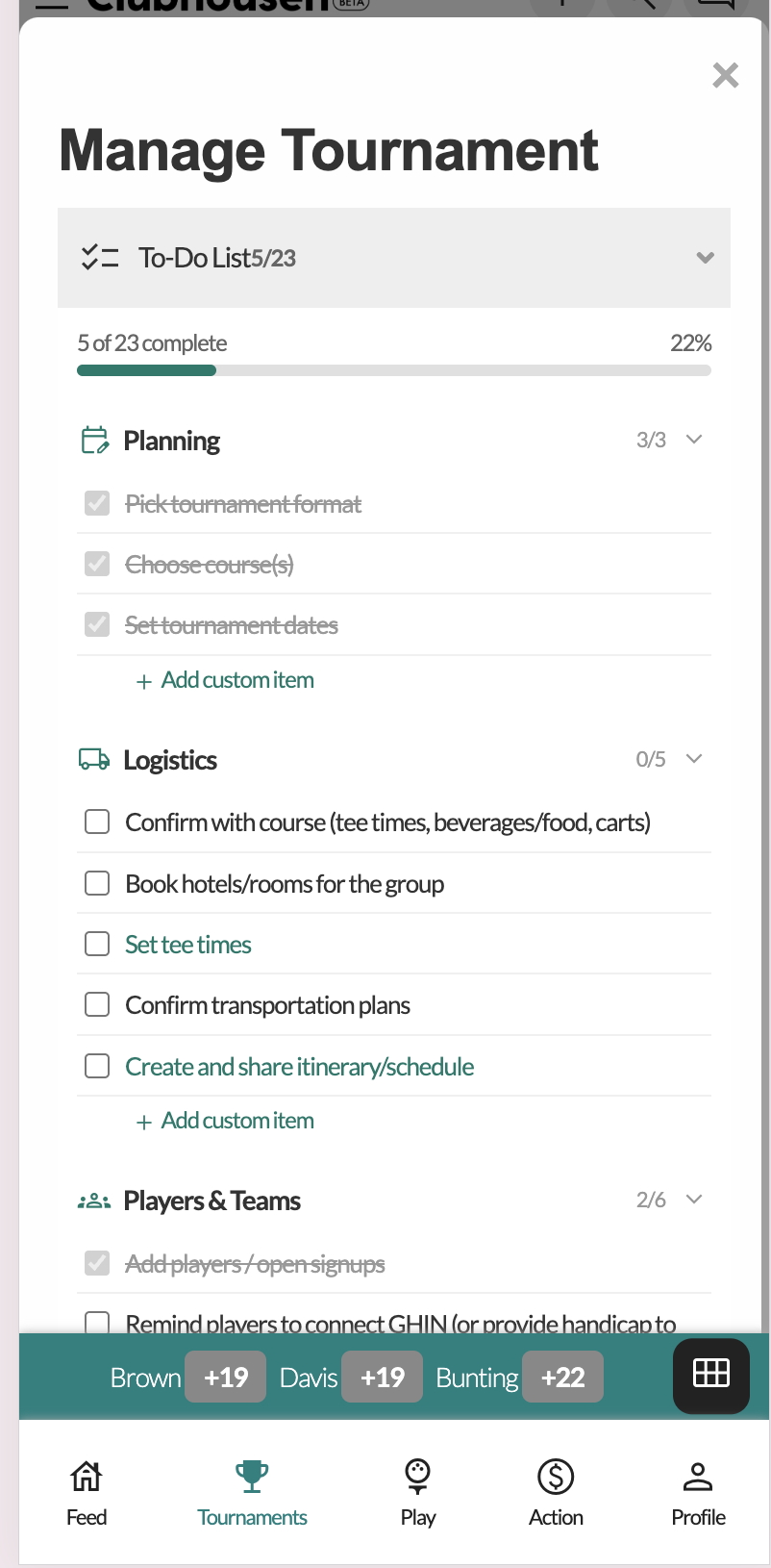
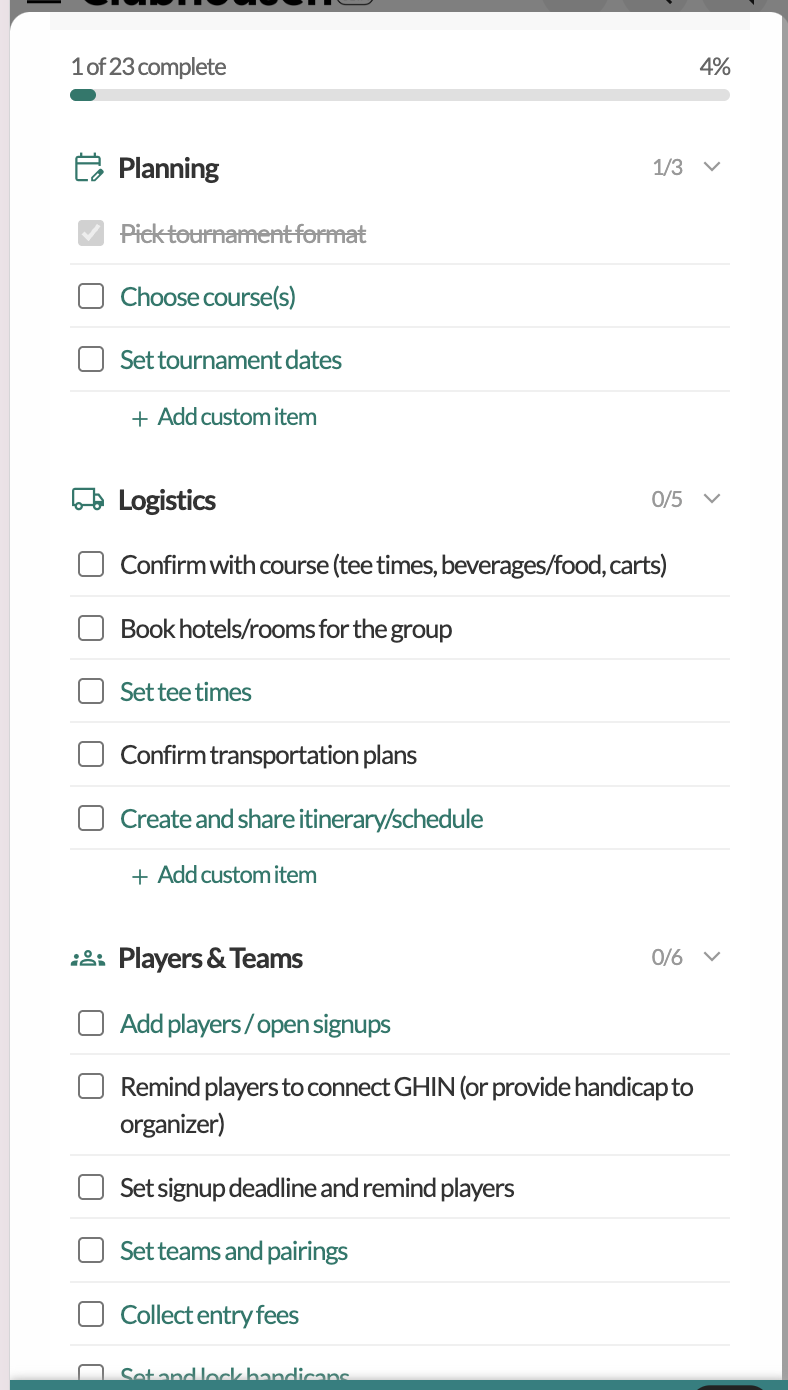
The new To-Do List in the Manage Tournament panel gives organizers a structured checklist grouped by phase:
- Planning — Format, course, dates
- Logistics — Course confirmation, hotels, tee times, transportation
- Players & Teams — Add players, connect GHIN, collect entry fees, lock handicaps
- Build Buzz — Pools, TourCuttas, hype content, welcome packages
- Awards & Branding — Trophies, sponsor logos
- Wrap-Up — Validate results, record award winners, send the recap
A progress bar at the top shows how far along you are. Each item has a shortcut button — "Set up", "Manage", "Open" — that takes you straight to the right screen. No hunting through menus.
Auto-Complete
The checklist is smart. When you save your format, the "Pick format" item checks itself off. Lock tee times? Done. Upload a sponsor logo? Done. You're not manually checking boxes — the system watches what you've done and updates accordingly.
You can also add custom items to any category. If your tournament has a unique step (book the caterer, order trophies, confirm the DJ), add it and track it alongside everything else.
Entry Fee Tracker
The "Collect entry fees" item opens a dedicated Entry Fee Tracker that shows who's paid, how much, and by what method (Venmo, Cash, Check, Zelle, Chit). A progress bar tracks dollars collected vs. total owed.
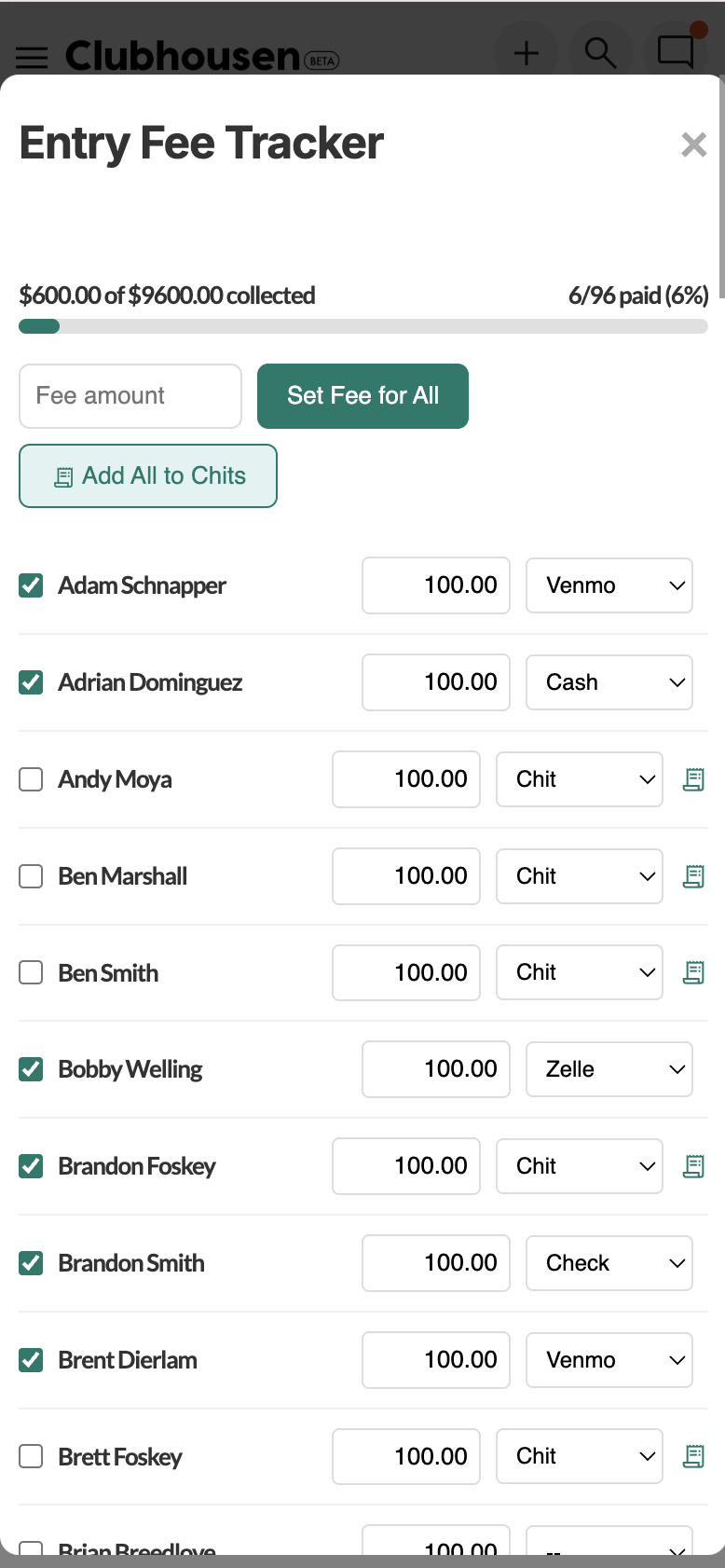
Bulk actions let you set the fee for all players at once or add unpaid balances to Chits. When a Chit gets settled elsewhere in the app, the tracker updates automatically.
Handicap Management
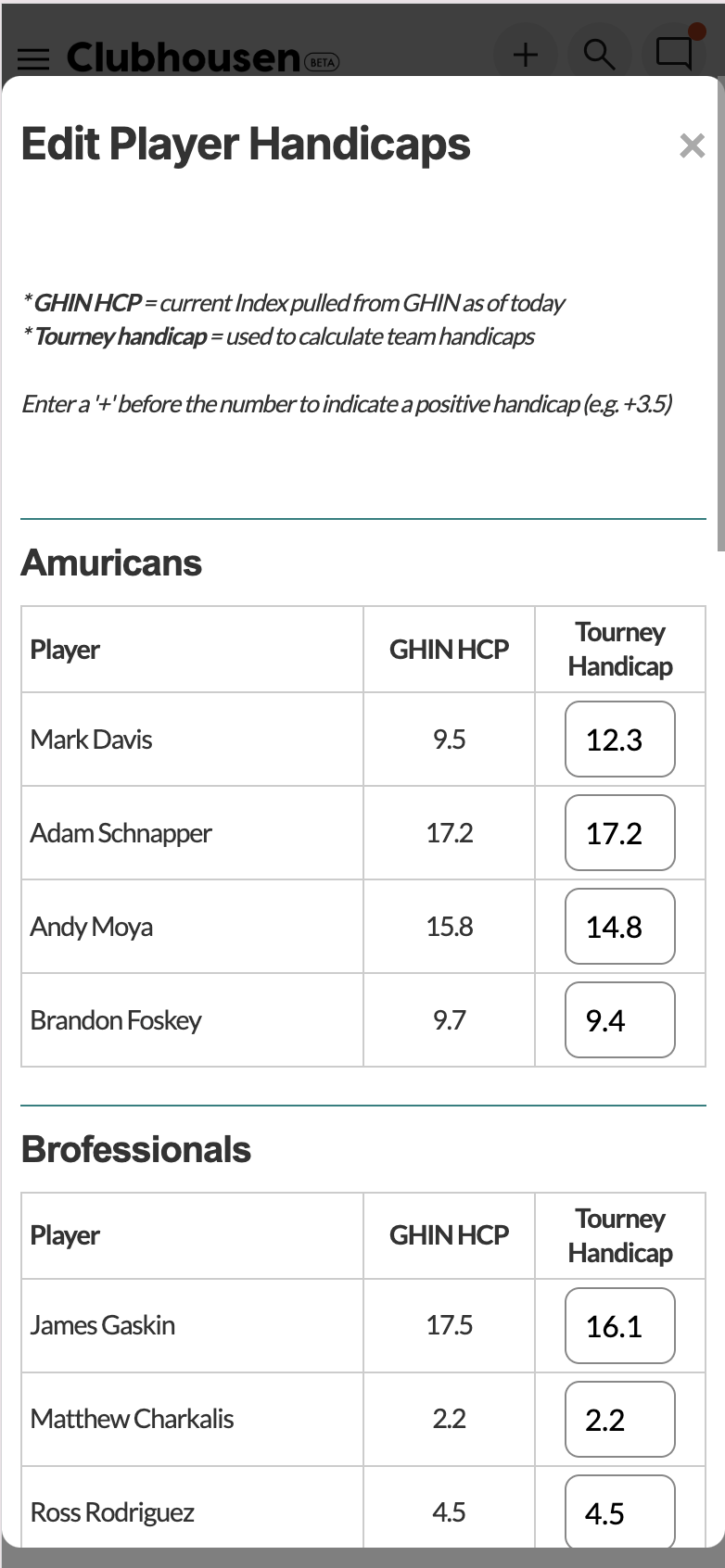
The checklist ties directly into handicap tools. The "Set and lock handicaps" item opens the Edit Player Handicaps screen, where organizers can see each player's GHIN handicap alongside their tourney handicap and adjust as needed.
Smart Reminders
Clubhousen sends organizers (and players) push notifications and emails on a schedule tied to your tournament date:
- 45 days out: Confirm with the course, book hotels
- 30 days: Entry fees, teams, GHIN connections
- 21 days: Signup deadline
- 14 days: Tee times, build buzz
- 7 days: Lock handicaps
- 1 day after: Wrap-up and validate results
Reminders skip themselves if the task is already done. No nagging about something you finished two weeks ago.
Bottom Line
The Organizer To-Do List keeps your tournament prep on track from day one through the awards ceremony. Smart auto-complete, built-in reminders, and a dedicated fee tracker — everything an organizer needs to stay organized.